
Connect NuriTrip to Claude
Add NuriTrip to Claude as a custom connector once, then ask about your trips in any chat. You do not need an API key or an existing NuriTrip account. Signing in with your email creates one.
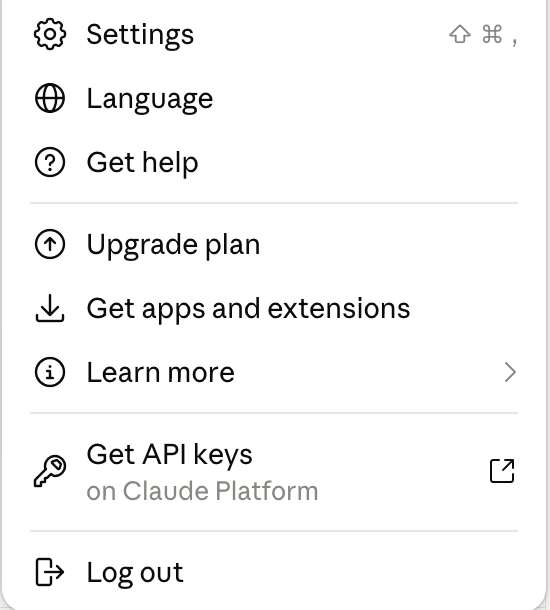
1Open Claude settings
Click your profile picture in the bottom-left corner, then Settings.
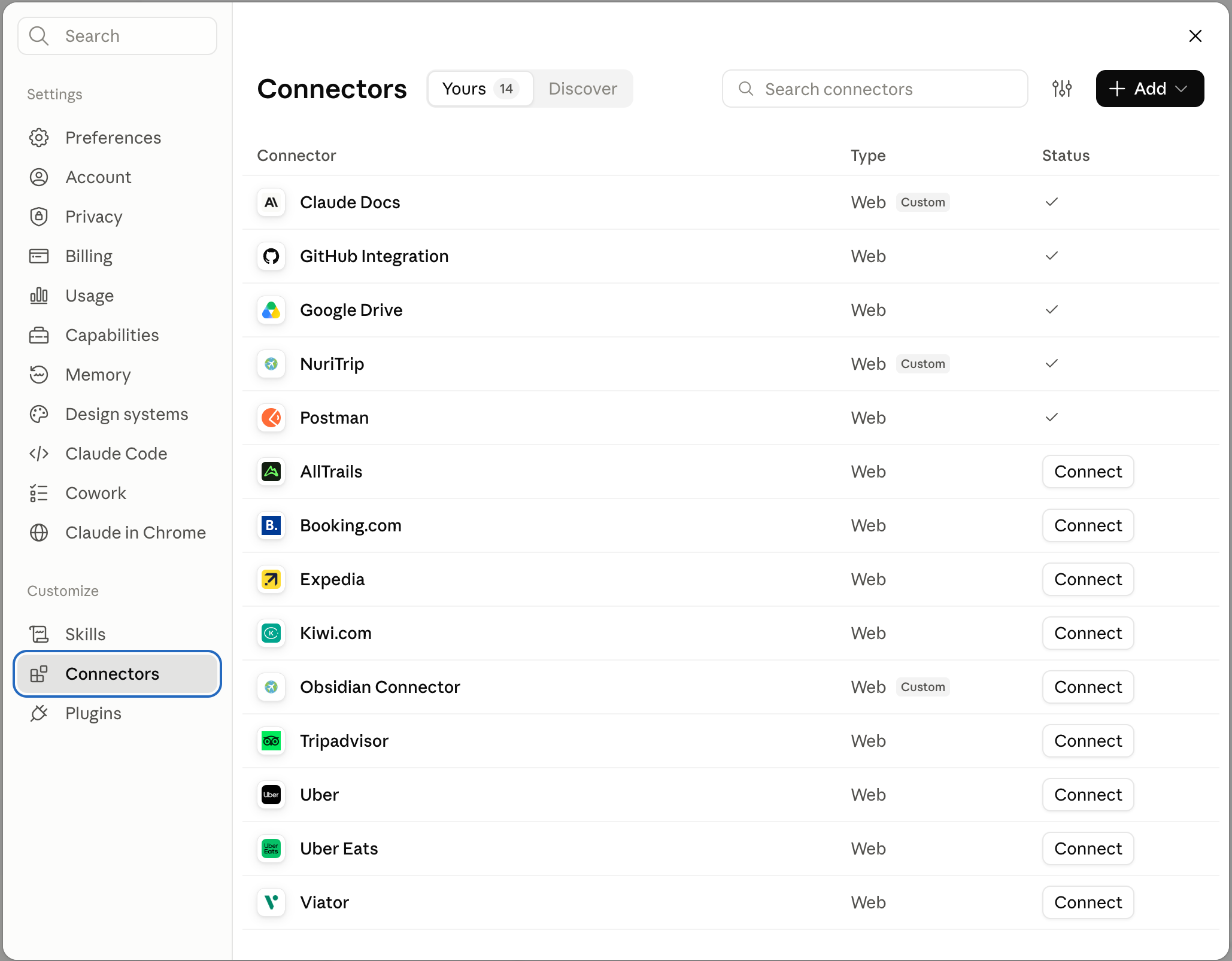
2Open Connectors and click Add
Go to Connectors and click + Add in the top-right corner. Once setup is done, NuriTrip appears in this list with a checkmark.
3Enter the name and URL
Type NuriTrip as the name, paste the URL below, then click Continue.
https://mcp.nuritrip.com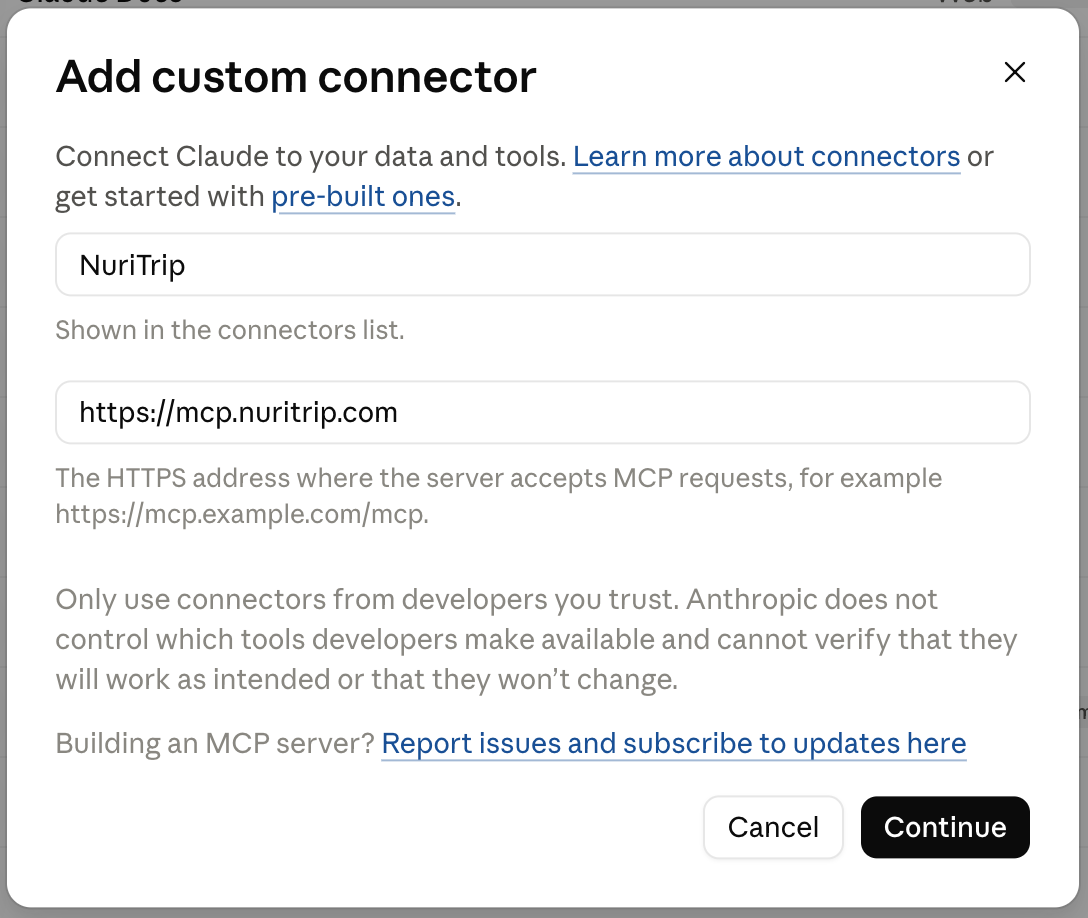
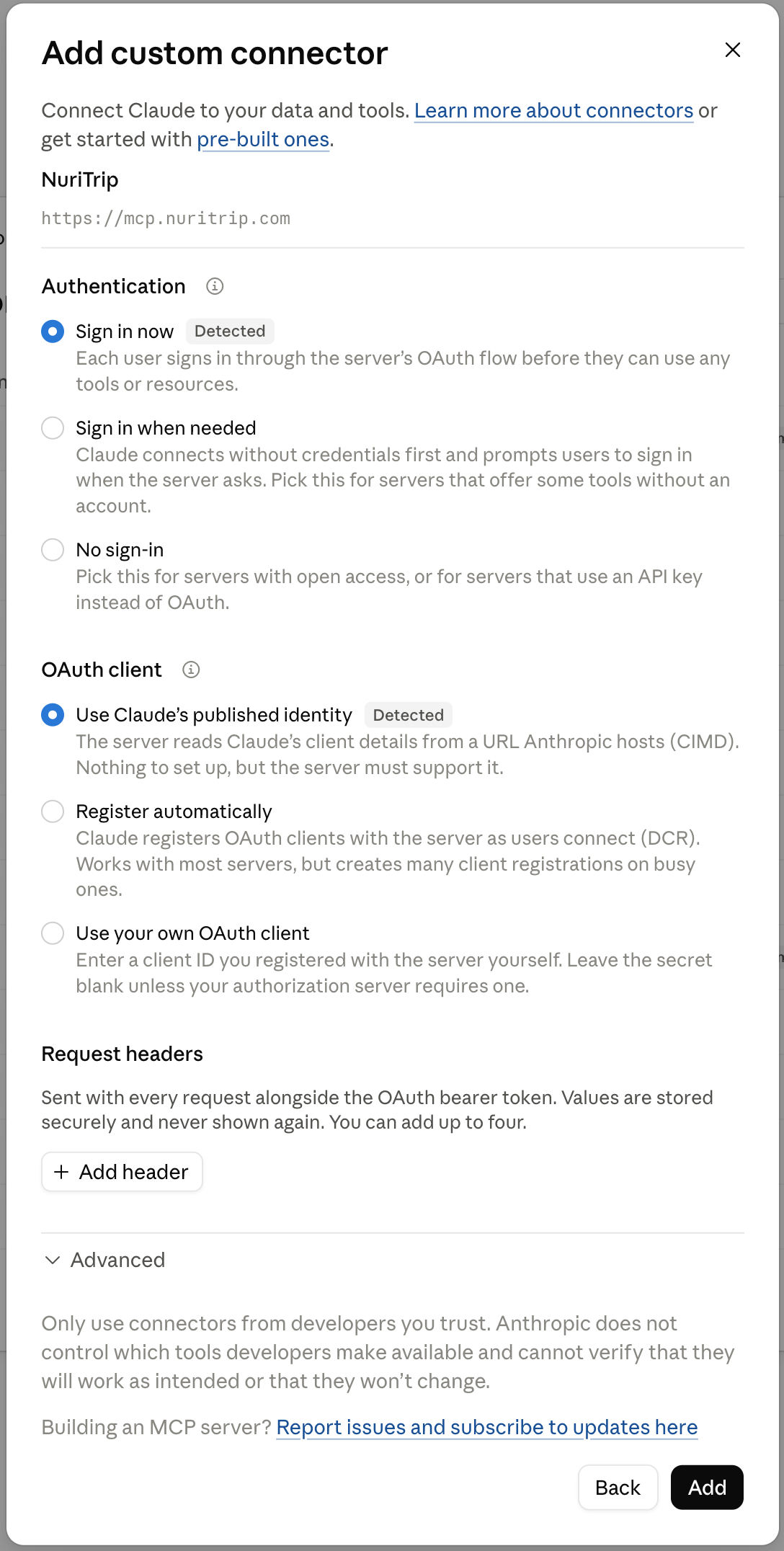
4Keep the detected sign-in, then click Add
Claude detects NuriTrip’s sign-in on its own. Keep Sign in now and Use Claude’s published identity selected, then click Add. No client ID or secret is needed.
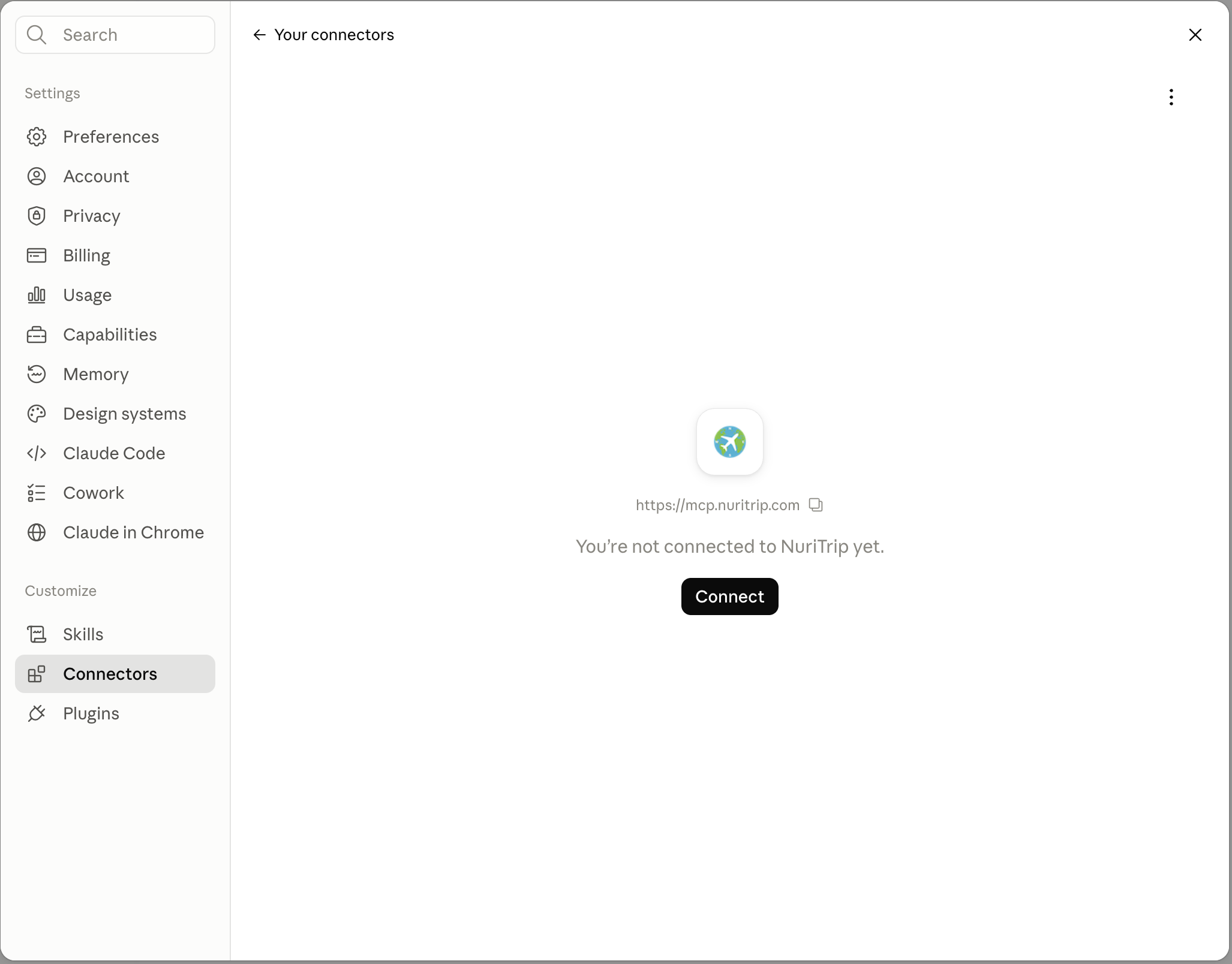
5Click Connect on the NuriTrip card
Back in your connectors list, open NuriTrip and click Connect. A browser tab opens the NuriTrip sign-in page.
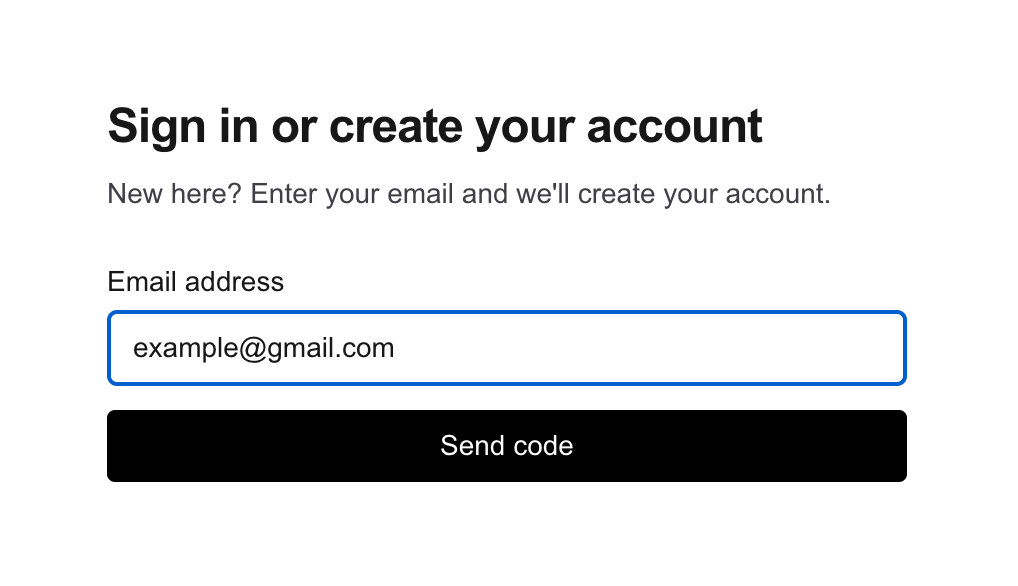
6Sign in with your email code
Enter the email you want your trips stored under and click Send code. If you are new to NuriTrip, your account is created with this email.
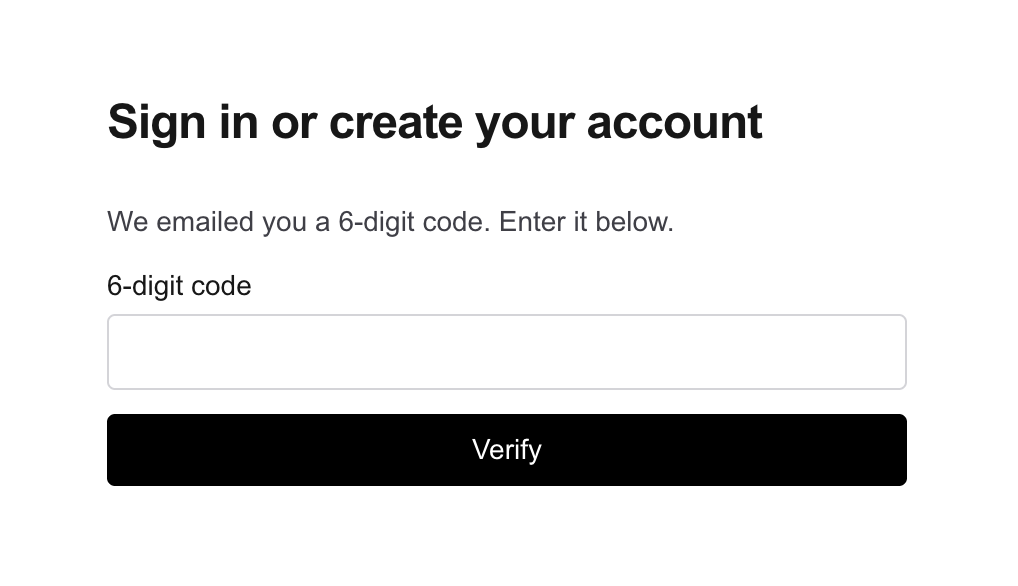
Then enter the 6-digit code from your inbox and click Verify.
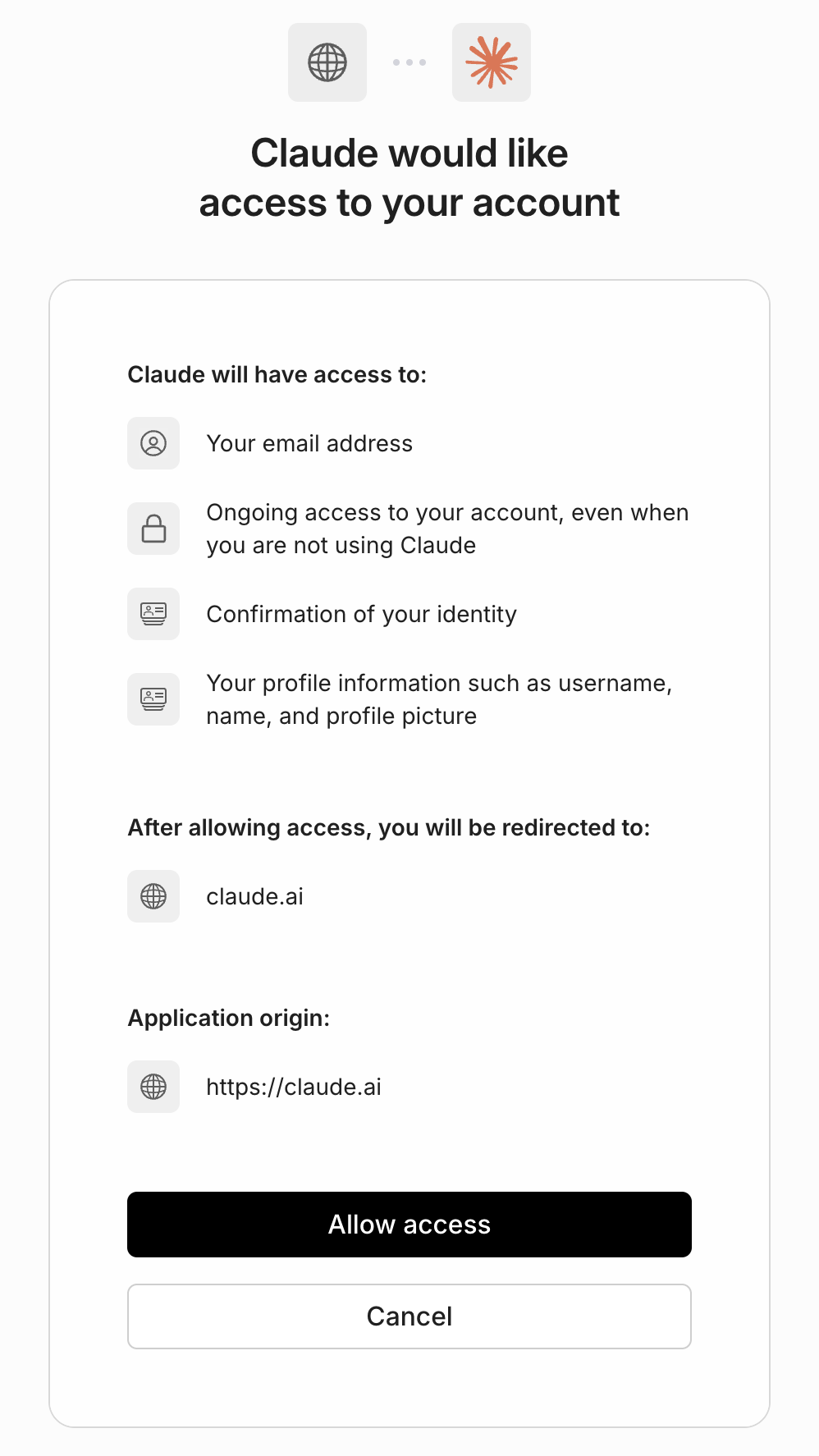
7Allow Claude access
After you verify, NuriTrip asks you to confirm what Claude can use: your email, profile and ongoing access to your trips. Check that it will redirect you to claude.ai, then click Allow access. You land back in Claude with NuriTrip connected.
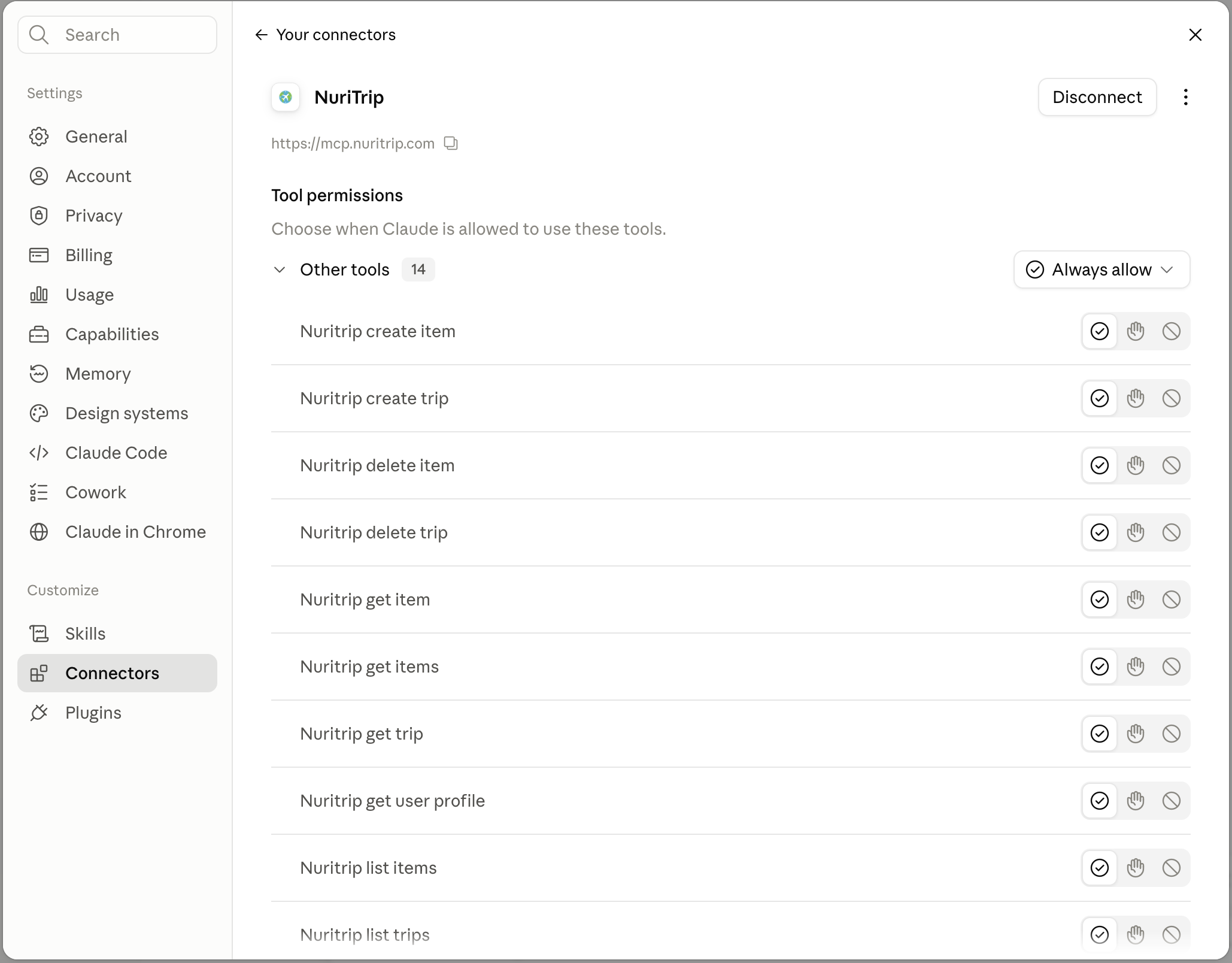
8Set tool permissions (optional)
To stop Claude asking for approval on every tool, open the NuriTrip connector and set the tools you use most to Always allow.
Troubleshooting
There is no Add button.
Custom connectors are available on every Claude plan, including Free. Free accounts can add one custom connector.
Claude connects but shows no trips.
Trips live under the email you signed in with. If they are under a different email, disconnect and reconnect with that one.
Claude asks permission on every tool.
Set your most-used tools to Always allow in the connector settings (step 8).
The connection expired.
Disconnect and reconnect. Signing in takes under a minute.
Screenshots are from a real Claude and NuriTrip setup. Setting up another assistant, or building one? See the agent setup guide.